Decentralized by design
No accounts, no sign-ups, no custodial servers holding your funds. Your keys are encrypted in your own browser, and every transaction settles on-chain.
A decentralized, self-custodial wallet for public and private balances. No accounts and no custodial servers — your keys stay on your own device, and privacy is built into every transfer.
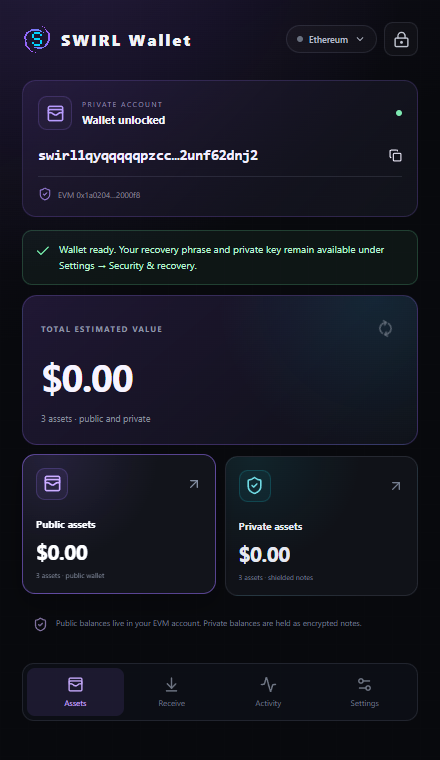
The wallet lives in your browser, not on our servers. Everything else follows from that.
No accounts, no sign-ups, no custodial servers holding your funds. Your keys are encrypted in your own browser, and every transaction settles on-chain.
Send privately with any amount you choose — no fixed denominations, no tiers. A small everyday payment gets the same privacy as a large transfer.
Keep both balances side by side. Shield assets when you want privacy, unshield back to public whenever you like — the choice is always yours.
SWIRL screens every deposit with Private Proof of Innocence: your funds are checked against sanctions lists without revealing your history to anyone. Privacy you can use, with a pool that stays clean.
Explore the privacy modelFrom install to your first private transfer in a few minutes.
Install from the Chrome Web Store in Chrome, Brave or Edge, then pin SWIRL to your toolbar so it is always within reach.
Set up in under a minute. Your recovery phrase never leaves your device — write it down and keep it safe.
Review every connection, signature and transfer before you approve. Switch between public and private at any time.
Installs from the Chrome Web Store. No analytics, no tracking pixels — the store link opens in a new tab.
Add to Chrome